Breaking News
Popular News


Enter your email address below and subscribe to our newsletter
Smart Discovery Store
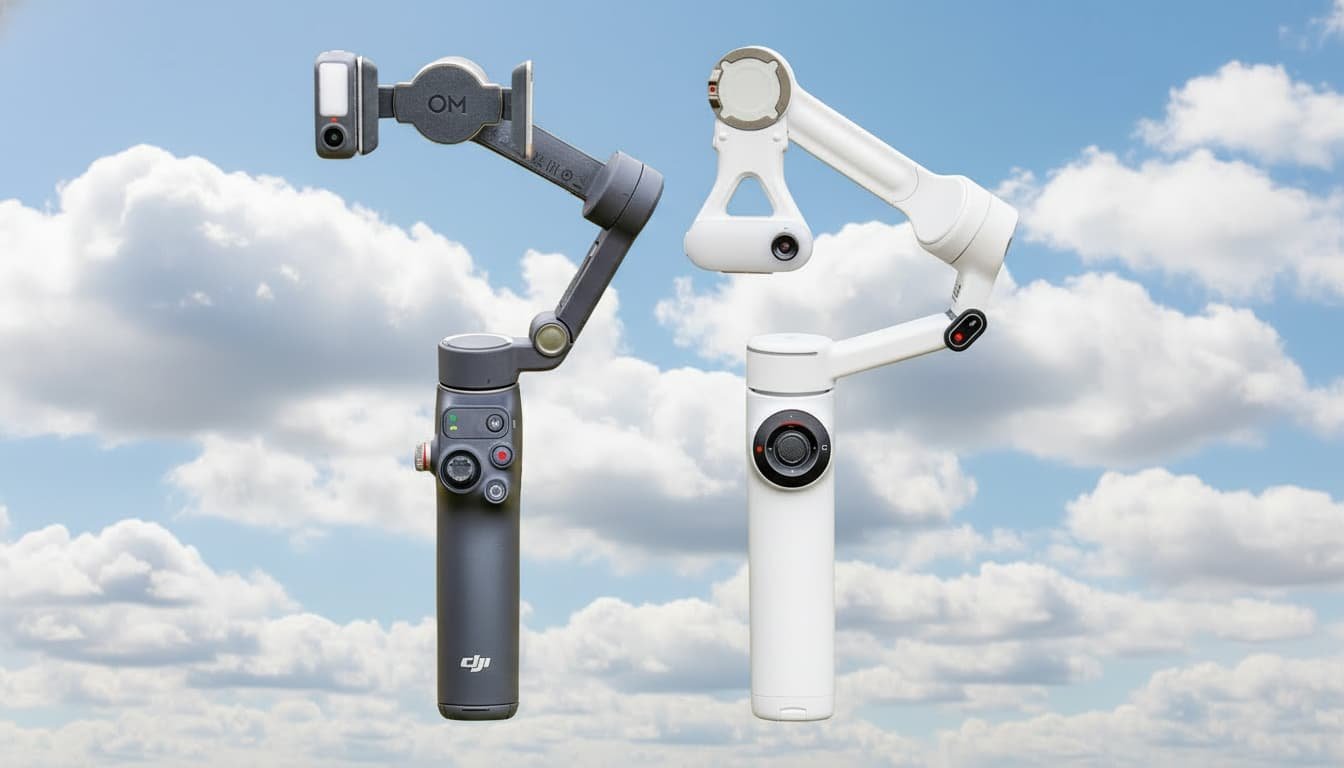
If you’re choosing a smartphone gimbal right now, you’re almost certainly comparing the DJI Osmo Mobile 7P with the Insta360 Flow 2 Pro. Both look similar at first glance—same compact folding body, same rapid setup, same core purpose. But once you start testing tracking distance, rotation limits, stabilization, and app features, the differences become extremely clear.
Here’s the full breakdown, including real-world tracking tests, range of motion, battery behavior, app performance, module differences, and which one truly delivers the better package.
Folded, the Osmo Mobile 7P and Flow 2 Pro are nearly identical in footprint—both pocketable and lightweight enough for daily carry. Unfolded, the 7P is a touch taller, but the difference is tiny. Both include a built-in tripod, but the Flow 2 Pro wins here: its tripod legs are longer, creating a wider stance that resists wind better. The 7P can tip over more easily outdoors.
Weight feels almost identical in hand, but the 7P’s handle ergonomics are better. The soft rear groove fits comfortably and reduces fatigue during longer shoots.
Both gimbals include magnetic clamps. DJI’s clamp grips harder, but Insta360’s system supports both the clamp and MagSafe mounts more freely. The Flow 2 Pro can be stored with the clamp attached; same for the 7P. Both support phones up to 300 g—more than enough for large devices plus filters.
Both gimbals use almost identical control logic—joystick, zoom wheel, shutter, mode switch, and trigger. But the execution differs:
Both offer pan-follow, follow, lock, FPV, and spin modes. The 7P requires entering a spin mode, while the Flow 2 Pro lets you spin using the scroll wheel in FPV mode.
Flow 2 Pro also includes Auto Mode, switching movement logic based on how you move—useful for beginners.
Flow 2 Pro stands out with more thoughtful extras:
7P has only a small rear recording light.
Both gimbals stabilize extremely well. Walking, jogging, panning—there’s almost no visible difference in smoothness.
Where gimbals shine is when you zoom in:
If you plan to shoot walking shots at 3×–10× zoom, a gimbal is mandatory.
Both gimbals deliver around 10 hours of runtime and can charge your phone. This is more useful than people expect—modern phones drain fast while filming.
But there is a practical difference:
This is where the Flow 2 Pro destroys the 7P.
Tilt and roll are also slightly better on the Flow 2 Pro, and it includes FreeTilt Mode, enabling vertical crane shots without hitting tilt limits.
Anyone shooting tracking scenes—dance, workouts, vlogs—will feel this difference immediately.
Using the companion apps:
DJI’s Mimo app is solid but simpler and less flexible.
Android users should be aware:
Both apps have uneven feature support across Android models.
Both include attachable AI trackers—except the Flow 2 Pro makes it optional depending on bundle.
Here’s the real-world difference:
Both support gesture control. DJI adds the ability to reframe with a double-L gesture, which the Flow 2 Pro currently lacks.
Lighting performance:
But DJI’s module doubles as a receiver for the DJI Mic Mini, which is huge for creators who want wireless audio without extra receivers.
This gives the Flow 2 Pro a third tracking method:
Limitations:
It’s convenient, but not as strong as the hardware module.
Both are excellent gimbals. Stabilization is equal. Build quality is close. But taken as a full package:
Flow 2 Pro is the far superior gimbal.
The deal-breakers:
The Osmo Mobile 7P is still a great pick if:
But if you want the most capable, most flexible, most creator-friendly gimbal on the market right now, the Insta360 Flow 2 Pro wins easily.