Breaking News
Popular News


Enter your email address below and subscribe to our newsletter
Smart Discovery Store
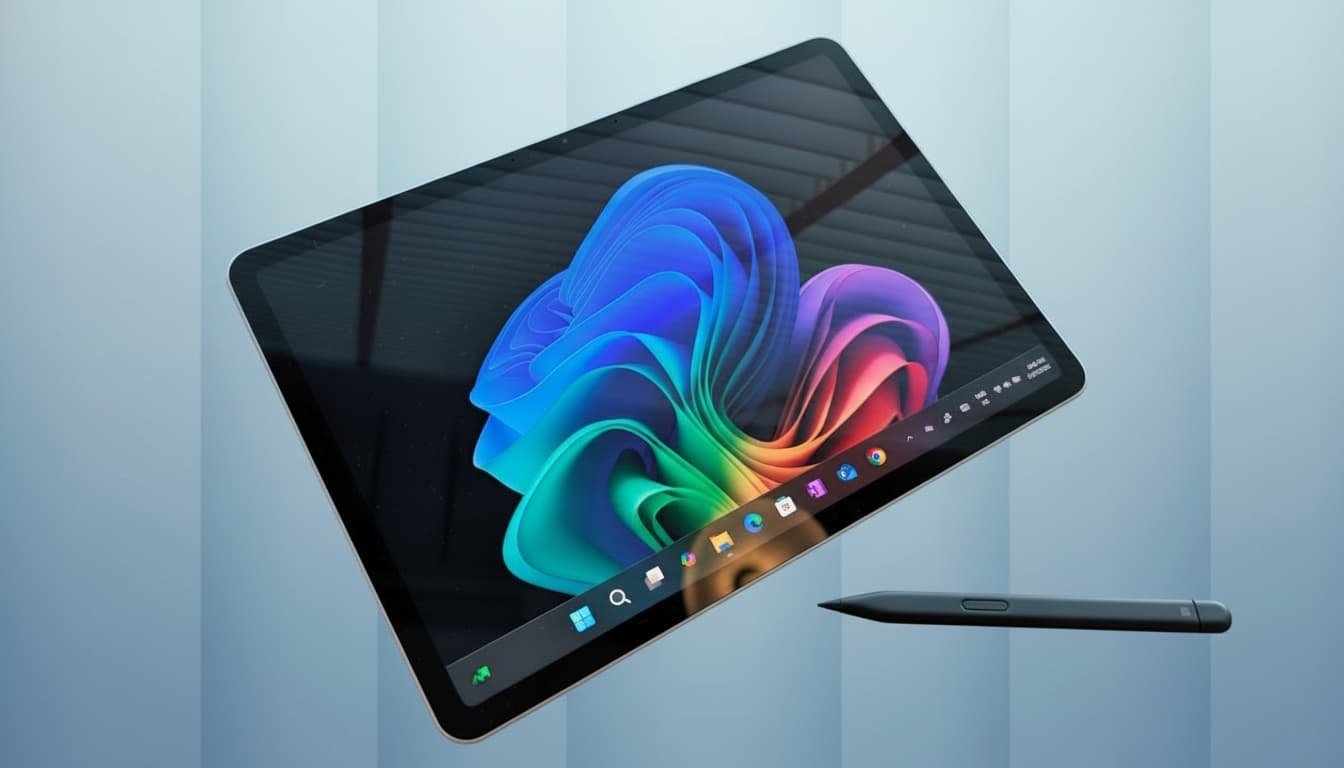
Every year, flashy devices grab headlines — bold designs, wild specs, dramatic marketing. But every so often, a product quietly enters the scene with no noise, no theatrics, and simply performs. The 12-inch Microsoft Surface Pro is exactly that: a blue-collar machine built to work. It doesn’t try to be the thinnest tablet or the most futuristic hybrid. Instead, it focuses on the fundamentals — portability, competence, battery life, and versatility — and surprisingly nails more of them than expected.
Microsoft trimmed the body down to a balanced sweet spot: bigger and more substantial than an 11-inch iPad, but far more portable and travel-friendly than the 13-inch iPad with its keyboard. Rounded corners, chamfered edges, a cleaner premium chassis, and a fanless design finally make this feel like a Surface Pro that belongs in the modern premium category. It slips into a sling or backpack with almost no weight penalty — even with the redesigned keyboard attached. This is a rare size category, and Microsoft is wise to embrace it.
The Snapdragon X Plus paired with 16GB of unified memory transforms the Surface Pro 12 into something far more capable than older Intel-based models. For the first time, using a Surface Pro doesn’t feel like juggling compromise after compromise. Casual workloads — browsing, writing, photo edits, thumbnails, creative sessions, and communication — all run comfortably without heat or fan noise.
Windows still behaves like Windows: occasional warming for no reason, random background tasks, and the usual update interruptions. But none of the quirkiness breaks the overall experience. The chip supports 4K, 5K, and even 6K external monitors without stutter, meaning it scales into a full desk setup effortlessly.
Benchmarks aren’t relevant for a device like this — real-world consistency is. And the Surface Pro 12 delivers it. Whether editing a document in tablet form or running multiple apps while docked, it feels predictable and stable. That reliability alone puts it ahead of many Windows hybrids.
Windows tablets have historically felt awkward — bulky, glitchy, slow to rotate, or fussy with touch controls. This one isn’t perfect, but it’s closer to “tablet natural” than any Surface before it. The rounded edges make it comfortable to hold one-handed. The extra thickness and bezels actually help grip and stability. Movies and shows feel great on the 12-inch screen, and the kickstand eliminates the need for accessories just to get a viewing angle.
Is it as fluid as an iPad Pro? No. Portrait rotation takes a second, the virtual keyboard sometimes acts up, and occasional Windows quirks remain. But 99% of the time, it behaves like a competent entertainment and productivity tablet.
There is one drawback: the IPS display lacks the laminated pop of OLED or mini-LED. Colors are accurate, brightness is acceptable, and viewing angles are strong — but the immersion feels a little recessed beneath the glass. Still, 90Hz refresh helps smooth out interactions, and once enabled, the display feels modern enough for 2024 and beyond.
Microsoft’s Slim Pen remains one of the most thoughtfully designed styluses. Not as precise as the Apple Pencil, but far more comfortable in daily use, with haptic friction, a predictable eraser, and excellent magnetic attachment. It clicks into place with more firmness than almost any tablet pen on the market, and stays secure in a bag.
The new Slate Keyboard is also a step forward. Felt exterior, durable interior, strong magnetic lip, satisfying key travel, and a large trackpad for the tablet’s size. It’s comfortable in long writing sessions and intelligently shuts off when flipped around for tablet mode. The only real miss is Bluetooth support — you can’t use it detached.
Using the Surface in a lap still isn’t as stable as a traditional laptop, but the smaller size and tighter keyboard lip make it surprisingly manageable. You still feel the grooves if you’re wearing shorts, but it’s far more lap-friendly than earlier generations.
The Surface Pro 12 creates an interesting value comparison. For around $700–$800 as a base, or roughly $1,080 with a 512GB configuration and keyboard bundle, it becomes a compelling two-in-one machine that legitimately replaces a laptop for many users.
Compare that to the 11-inch iPad Pro with equivalent storage: the tablet alone costs the same, but adding the Apple Pencil and Magic Keyboard pushes it to nearly $1,630 — without giving you a full desktop operating system. Meanwhile, the Surface delivers Windows, web apps, traditional software, multitasking flexibility, and desktop-grade workflows.
The only real competitor at this price point is the base-model MacBook Air. Excellent machine, but no touchscreen, no tablet mode, no pen input, no kickstand versatility — and definitely no ability to fold into a seat tray table comfortably.
The Surface Pro 12 is not the flashiest tablet. It doesn’t chase benchmark crowns or push radical design experiments. Instead, it focuses on being a dependable, versatile, all-day machine. A tablet that feels complete even without accessories. A laptop that becomes surprisingly capable when paired with a keyboard. A hybrid that finally feels comfortable in both identities.
It has its quirks — an IPS display instead of OLED, no upgradeable SSD, Windows being Windows — but none of these break the experience. What remains is a compact, premium, hardworking device that handles entertainment, productivity, creativity, and everyday computing with confidence.
This is the Surface Pro Microsoft should have made years ago — one that feels balanced, polished, and genuinely useful in real-life situations. For students, mobile workers, travelers, coffee-shop professionals, and anyone who wants a machine that adapts to them, the Surface Pro 12 earns its place. Not by hype, but by showing up and doing the job.
Microsoft Surface Pro 12-inch with keyboard open on a cafe table, pen resting beside it, external monitor blurred in background, emphasizing its hybrid laptop-tablet flexibility